

The Xfinity low-income internet program, Internet Essentials, expands affordable internet access to people who would otherwise struggle to afford it. Xfinity, a leading internet provider, targets families, students, and seniors with this innovative program.
Internet Essentials delivers fast and reliable home internet up to 75 Mbps download speed, starting at only $14.95 per month with an Internet Essentials Plus option up to 100 Mbps for $29.95 per month. As national benefit programs, such as the Affordable Connectivity Program (ACP), expire, Comcast Xfinity continues to close the digital divide that separates those who have internet access from those who do not.
Key Takeaways
- Internet Essentials from Xfinity starts at $14.95 per month, with speeds up to 75 Mbps.
- Internet Essentials Plus is $29.95 per month, with speeds up to 100 Mbps.
- Eligible participants receive a free wireless gateway and the opportunity to buy a discounted laptop computer for $149.99.
- Available to eligible low-income families, students, and seniors with no contracts, activation/rental fees, or credit checks necessary.
- Apply easily online or call the Xfinity internet essentials phone number at 1-855-8-INTERNET (1-855-846-8376) for support.
What Is Xfinity Internet Essentials?
Launched in 2011, Xfinity’s Internet Essentials provides affordable internet access to eligible low-income families and individuals. Over the years, this program has managed to connect over 10 million American families with fast and reliable internet.
Internet Essentials provides outstanding service, equipment, and technical support by offering…
- No contracts or credit check
- Free Wi-Fi modem/router
- Free installation and setup kit
- Millions of hotspots on the nationwide Xfinity Wi-Fi Network
Because of this balance of low price, convenience, and flexibility, Internet Essentials has become one of the most cost-effective ways to stay connected in 2025.
How Much Does Xfinity Internet Essentials Cost?
Internet Essentials from Xfinity starts at $14.95 per month. Xfinity currently offers two Internet Essentials plans at different price points:
- Basic Plan - $14.95 per month for 75 Mbps download and 10 Mbps upload speeds
- Internet Essentials Plus - $29.95 per month for up to 100 Mbps download and 20 Mbps upload speeds
Xfinity Internet Essentials and Xfinity Internet Essentials Plus plans include a free Wi-Fi gateway (integrated modem and router), unlimited data, and no hidden charges. The plans do not require contracts, so customers can cancel service without facing an early termination fee.
In most cases, customers with many devices in the house will benefit economically from the “Plus” plan, as it can handle activities like online gaming and video calls. Subscribers also get discounts on computer devices and free digital literacy training, which makes this inexpensive internet service package all the more valuable.
Who Qualifies for Xfinity Internet Essentials and What Are the Requirements?
To qualify for Xfinity Internet Essentials, your household must meet the following requirements:
- Live within an Xfinity service area
- Not have had Xfinity service within the previous 90 days
- Have no outstanding balance due to Xfinity that is less than a year old
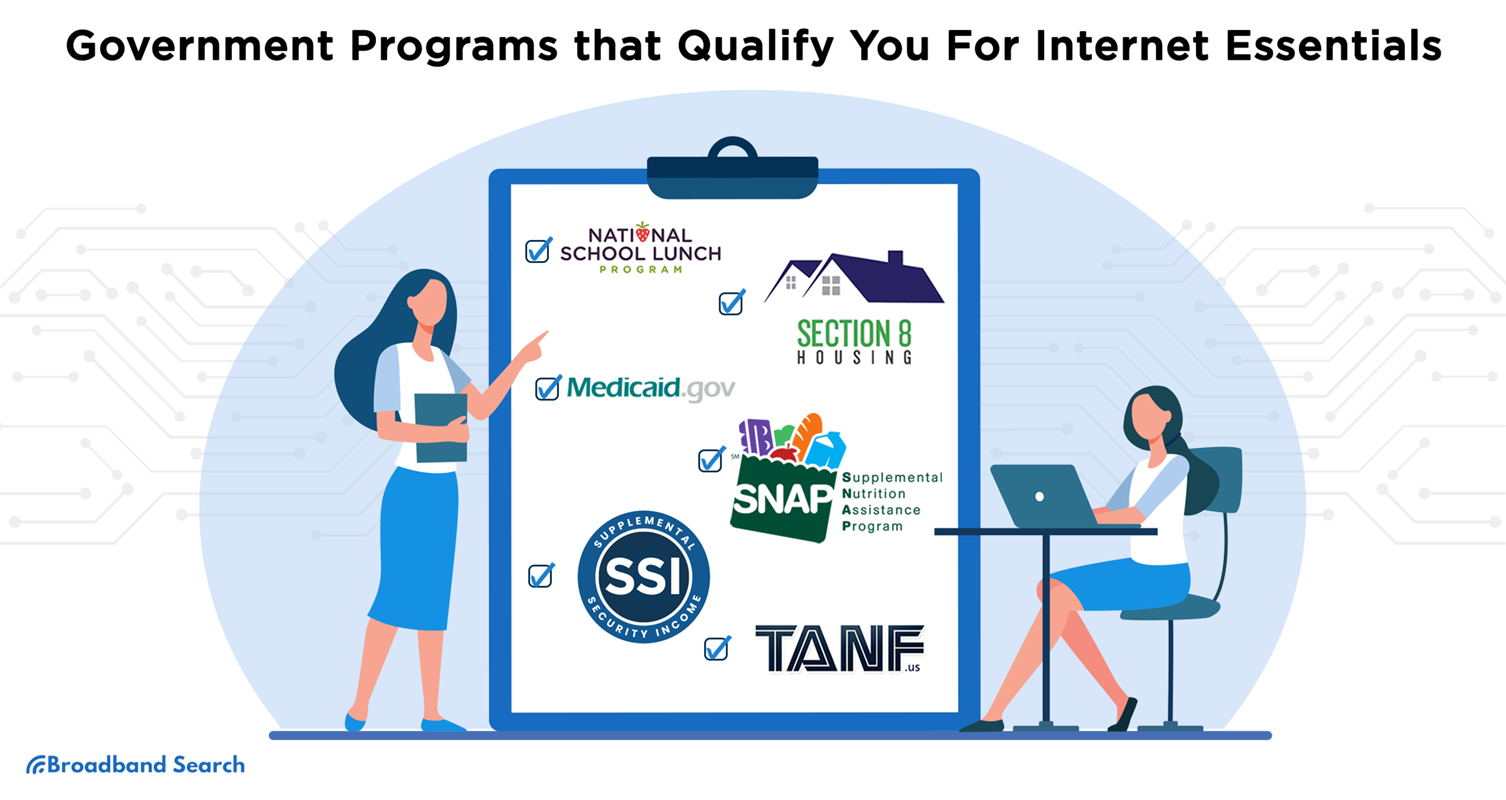
- Have at least one member of your family enrolled in a qualifying federal or state assistance program or have a household income level that is at or below 200% of the Federal Poverty Level (FPL).
These programs include:
- Medicaid: Provide your Medicaid card or most recent eligibility letter for any member of your household.
- Public Housing Assistance: Provide documentation such as your lease, housing assistance payment (HAP) contract, or eligibility documentation from HUD.
- SNAP (Supplementary Nutrition Assistance Program): Provide a letter indicating you are approved for SNAP benefits.
- TANF (Temporary Assistance for Needy Families): Provide an eligibility letter for TANF.
- SSI (Supplemental Security Income): Provide an eligibility letter for SSI.
- NSLP or Head Start: Provide any official letter showing current participation in the National School Lunch Program or Head Start, including your child's name, school name, and the service address.
- LIHEAP (Low Income Home Energy Assistance Program): Provide a letter confirming your eligibility for LIHEAP.
- WIC (Women, Infants, and Children): Provide an eligibility letter from the WIC program.
- Federal Pell Grant: Provide documentation from your school’s financial aid office showing you receive a Pell Grant.
- VA Pension: Provide a veterans' pension eligibility determination letter from the U.S. Department of Veterans Affairs.
- Tribal Assistance: Provide an eligibility letter from the Food Distribution Program on Indian Reservations (FDPIR) or a similar Tribal assistance organization. Even if they don’t qualify for any federal programs, New York residents may qualify for Xfinity Internet Essentials if they participate in senior citizen or disability rent increase exemptions. This is made possible by the New York Affordable Broadband Act, which passed in 2021.
How Do You Apply for Xfinity Internet Essentials?
You can apply by phone or online through the Xfinity Internet Essentials application page. Follow these simple steps to get started:
Step 1: Check Eligibility – Have documents ready that show you or someone in your household participates in one of the federal or state assistance programs listed above.
Step 2: Apply Online or by Phone – You can sign up for Internet Essentials by whichever method is easiest for you:
- Online: Go to the Internet Essentials application page and enter your ZIP code to see if the service is available within your region. The online form requires you to submit proof of eligibility.
- Phone: Dial 1-855-8-INTERNET (1-855-846-8376) to talk to a customer service representative. Customer service is available in English, Spanish, and other languages via translators.
Step 3: Get Approved – After you have submitted your application, your information will be reviewed by Xfinity.
Most applicants will be notified by text, email, or regular mail within 3-5 business days. If you are approved, you will receive a welcome notification.
Step 4: Setting up your Internet – Upon approval, you can select your preferred setup option:
- Self-Installation: Get a free Getting Started Kit sent to you with your gateway and simple installation instructions.
- In-Store Pickup: Go to a local Xfinity Retail Store to pick up your equipment and become connected on the same day.
With these easy steps, you can be online within less than a week and save money while securing fast and reliable home internet access through Xfinity Internet Essentials.
What Devices and Discounts Do You Get with Xfinity Internet Essentials?
Internet Essentials customers can purchase a Chromebook laptop or a Dell laptop at a very low rate of $149.99 plus tax. (Device details may vary by model and location). Norton Security and Microsoft Office are pre-installed, which ensures that consumers get access to a high-quality firewall and a range of productivity applications.
To be eligible for the reduced-price laptop….
- You must have an active Internet Essentials account.
- You can’t have bought a reduced-price device from Xfinity within the last six months.
- You must use a valid credit card or debit card to purchase the laptop.
These low-cost computers fill the gap between connectivity and capability, ensuring that every home is not only connected to the internet but is also equipped with technology that can make optimal use of it.
Is Xfinity Internet Essentials Still Available Now That the ACP Program Has Ended?
Yes, Xfinity Internet Essentials is still available even though the Affordable Connectivity Program (ACP) ended on June 1, 2024, which offered a generous $30 per month discount. In the absence of the ACP and living in an Xfinity service area, there is another program called Lifeline. It is a federal program through which eligible customers can get a discount of up to $9.25 on their monthly internet bill. Visit the Lifeline website to learn more and apply.
Why Pick Xfinity as an Affordable Internet Service Option?
When you choose Xfinity, you have access to one of the fastest, most reliable, and most feature-rich internet services available today. Here are several more reasons to choose Xfinity Internet Essentials:
- Reliable Speeds Up to 100 Mbps: Stream, study, and work remotely with consistent performance for multiple devices.
- Nationwide Hotspot Access: Get access to millions of free Wi-Fi hotspots across the nation.
- Transparent Pricing: There are no contracts, no credit checks, and no hidden fees.
- Fast, Easy Application: Apply online in minutes, or call us to get live assistance in English and/or Spanish.
- Digital Literacy Support: The service includes free online training sessions that empower customers to gain vital computer and internet knowledge.
Families, seniors, and students can continue to benefit from affordable internet access, along with the resources to make life online easier, safer, and more productive with Xfinity Internet Essentials.
FAQ
Can I upgrade my Xfinity Internet Essentials plan after I sign up?
Yes, you can change from the 75 Mbps basic Internet Essentials plan to the 100 Mbps Internet Essentials Plus plan at any time without any additional charges.
Does Comcast impose a data cap on Internet Essentials plans?
No. The two Internet Essentials plans include unlimited data.
How long does program approval take?
The majority of applications are processed within 5 to 7 business days.
How can I see if I qualify?
Go to the Internet Essentials site and enter your zip code. The site will require you to confirm enrollment in an eligible program, such as SNAP or Medicaid.
What is the Xfinity Internet Essentials phone number?
You can get in touch with Internet Essentials support by calling 1-855-846-8376.
Is there a Xfinity internet Medicaid discount?
Yes. If you’re on Medicaid, you are able to qualify for discounted service through Internet Essentials.

